Syafana Admissions

Payment Guide

Panduan Pembayaran

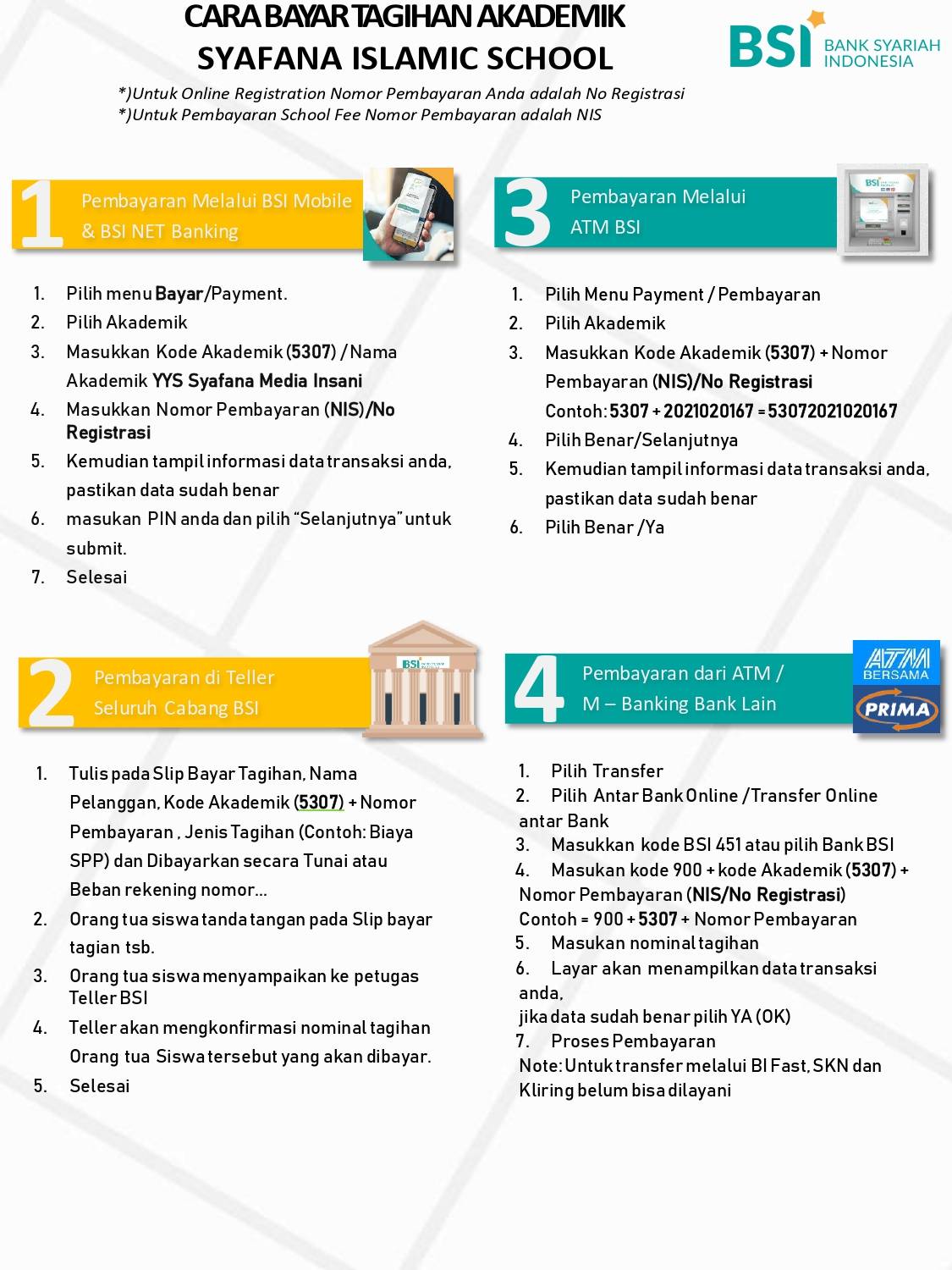
Use your registration number for online registration payments. School fee payments use the student's NIS.

Academic Code 5307
Payment number

Registration number for admission payments, or NIS for school fee payments.

1

BSI Mobile & BSI Net Banking

  1. Choose Pay / Payment.
  2. Choose Academic.
  3. Enter academic code 5307 or select YYS Syafana Media Insani.
  4. Enter the registration number or NIS.
  5. Confirm the transaction details, enter your PIN, and submit.
2

BSI Teller

  1. Complete the payment slip with the payer name, academic code 5307, and payment number.
  2. Sign the payment slip.
  3. Submit it to the BSI teller.
  4. Confirm the billed amount and complete the payment.
3

BSI ATM

  1. Choose Payment, then Academic.
  2. Enter 5307 + payment number.
  3. Confirm the displayed transaction data.
  4. Choose Yes to complete the payment.
4

Other Bank ATM / Mobile Banking

  1. Choose interbank online transfer.
  2. Select Bank BSI or use bank code 451.
  3. Enter 900 + 5307 + payment number.
  4. Enter the billed amount and confirm the transaction.
BSI academic bill payment guide
Official visual payment guide. Tap or open the image to view the full details.
Already registered?

Check your registration and payment status.

Check Status